> For the complete documentation index, see [llms.txt](https://docs.dex.guru/llms.txt). Markdown versions of documentation pages are available by appending `.md` to page URLs; this page is available as [Markdown](https://docs.dex.guru/features/custom-chart-indicators.md).
# Custom Chart Indicators
At DexGuru we always strive to provide the best data for our users. We went as far as adding our custom indicators to charting.
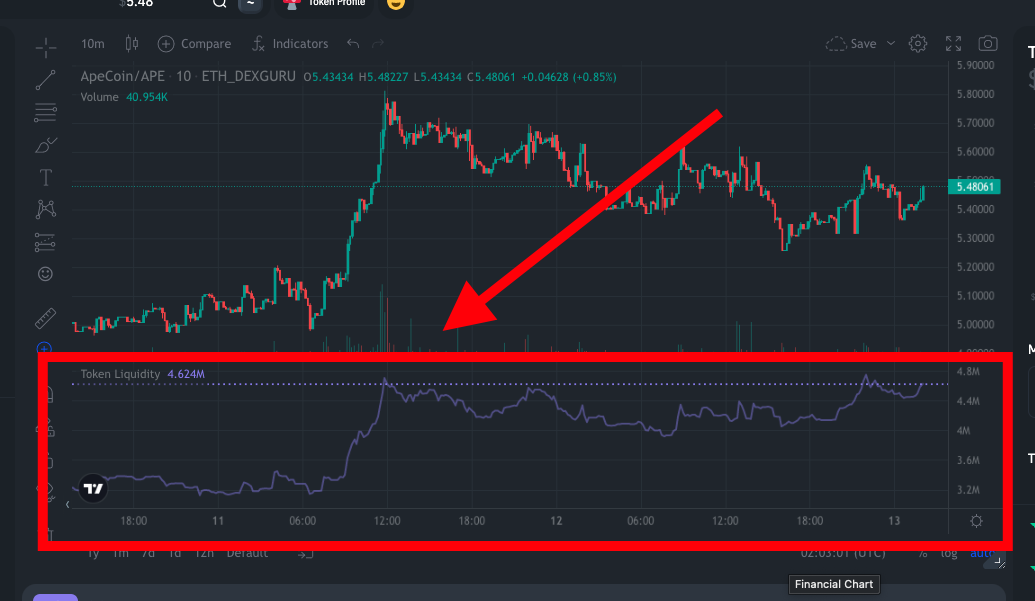
### **Token Liquidity Indicator**
Allows you to directly see the token's liquidity over time on the chart. Learn more about how we calculate liquidity [here](/features/token-liquidity.md).
### **Whales Volume Indicator**
Reflects the trading volume by **Whales** 🐳 (heavy Traders with $500k+ of trading volume in the last 30 days).
The formula is calculated in USD and uses only transactions by **Whales** 🐳.
Whales Volume indicator formula
Whlaes Volume indicator
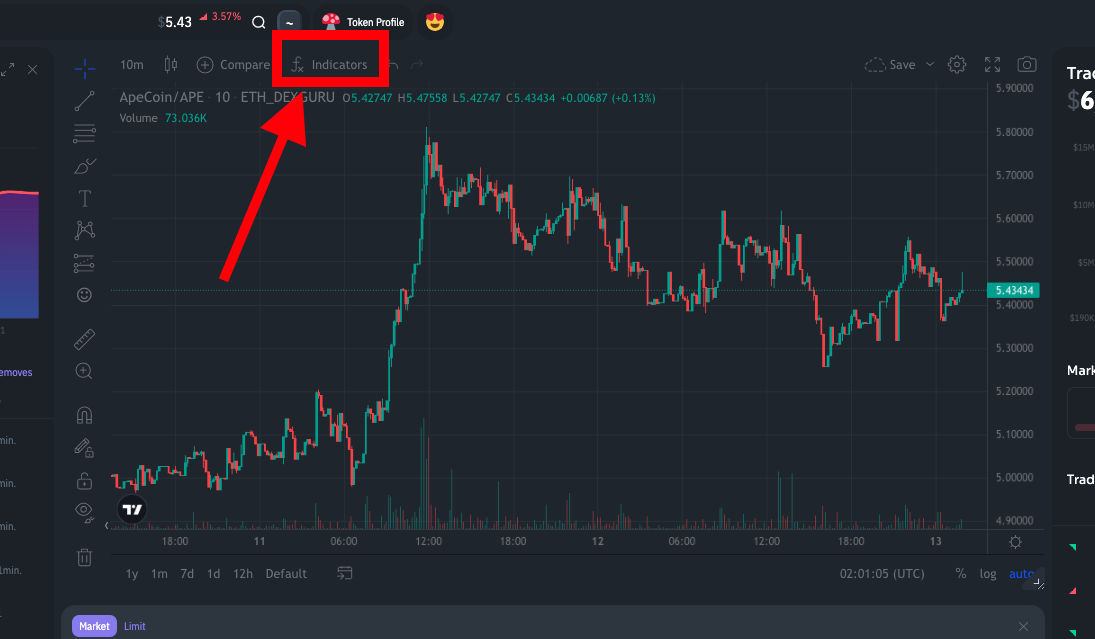
### To add custom indicators to your chart:
1. Go to Indicators
2. Look for the script names called "Token Liquidity" and "Whales Volume"
###